Auto Parts Shop Billing: Getting HSN Codes Right
A practical guide to auto parts shop billing — hundreds of HSN-coded SKUs, retail vs trade pricing, and why clean records protect a shop at filing time and beyond. Includes a free KAI file for an auto parts shop to edit and make your own.


An auto accessories shop can carry hundreds of distinct parts, each with its own HSN code, and often sells the same item at two different prices depending on who's buying — a walk-in customer at the counter, or a garage buying at trade rates. Get one HSN code wrong at this scale and it rarely surfaces immediately. It shows up months later, in a GST mismatch notice, long after anyone remembers which invoice it was.
Why scale is the real risk here, not complexity
No single part is hard to code correctly. The risk is that a shop with hundreds of SKUs, added over years by different people, accumulates small inconsistencies that compound. A part miscoded once and never corrected gets miscoded on every sale after it — quietly, invisibly, until a filing review catches the pattern.
What clean records are actually worth to a parts shop
Beyond avoiding a mismatch notice, accurate, inventory-linked billing is what tells an owner which parts actually move and which are dead stock tying up capital. It's also the difference between a supplier or lender trusting your numbers at face value and demanding weeks of reconciliation before they'll extend credit.
Habits that keep a parts shop's books trustworthy
- Code every new part correctly at the moment it enters inventory — fixing an HSN code after hundreds of sales have gone out under it is far harder than getting it right once.
- Keep retail and trade pricing linked to the same catalogue, not two separate lists that can quietly drift apart.
- Reconcile purchases against sales regularly — the gap between the two is exactly where shrinkage or miscoding shows up first.
- Review slow-moving stock deliberately, rather than letting it accumulate unnoticed in a large catalogue.
Where purpose-built software changes the equation
A generic billing tool treats every sale as identical. A parts shop needs a system that understands HSN-coded inventory and dual pricing as first-class concepts, not a workaround. KAI links billing directly to inventory, so retail and trade pricing stay consistent and every sale reconciles against what was actually in stock.
Experience it yourself — an auto parts shop file, ready to customize
Below is a KAI file built for an auto accessories shop — a catalogue correctly coded by HSN, with both retail and trade pricing. Download it to experience KAI hands-on: edit it into your own shop's data as a head start, or use it purely to learn how KAI is structured before building your own fresh.
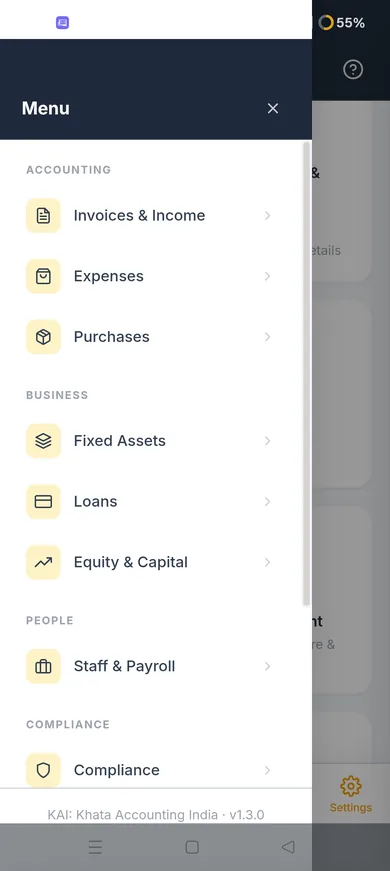
Set it up in two minutes
- In KAI, go to Settings.
- Choose Backup & Restore, then Restore from File.
- Select the file you downloaded below.
- Enter the passphrase shown below when prompted.
Restore passphrase: 0000
This is fictional starter data, not a real business — edit it into your own, or use it purely to learn KAI's structure before building yours fresh.
Where to go from here
If keeping a large, coded catalogue clean is the problem you actually have, the KAI product page covers the full feature set. Related reading: applying the right GST rate per item, billing several services under one folio.
Found this useful?
Talk to us about your project