Boutique Billing: Why One GST Rate Isnt Enough
A practical guide to boutique billing — why garments cross GST slabs by price point, what clean records are worth beyond compliance, and how to keep a growing SKU count under control. Includes a free KAI file for a boutique to edit and make your own.


A boutique's billing problem was never really about volume. It's variety. Garments cross GST slabs depending on price point, sizes and colours multiply what looks like one product into a dozen SKUs, and a festive sale weekend can mean more small-ticket invoices in an afternoon than the rest of the month combined. A billing habit built around "just apply the usual rate" survives exactly until the first customer buys one item above the threshold and one below it in the same basket.
The slab problem nobody notices until it's wrong
Because garment GST is priced-based rather than category-based, the same kind of item — two shirts, say — can legitimately sit in different tax brackets depending on what they cost. Handled by memory at a busy counter, that's an easy rule to apply inconsistently, and inconsistency is precisely what a review looks for. It rarely shows up as a single dramatic error; it shows up as a slow drift across hundreds of small invoices.
What clean boutique records are actually worth
Beyond the obvious compliance case, accurate records are what let an owner actually see the business rather than guess at it — which price points move, which don't, where markdowns are eating margin, and whether a new line is worth reordering. That's also exactly the data a lender or investor wants before backing an expansion into a second store or a wholesale line.
Habits that keep a boutique's books trustworthy
- Let the system apply the GST slab per item, not per invoice — the moment a human is deciding the rate at checkout, drift is inevitable.
- Track sales by price point and category, not just totals — that's the view that actually informs what to reorder.
- Reconcile inventory against sales regularly, especially around sale season, when volume spikes make manual tracking least reliable.
- Review pricing and slab mapping each season — a small price change can quietly move an item into a different bracket.
Where purpose-built software changes the equation
A billing tool built for one flat tax rate can't do what a boutique actually needs — correct, automatic slab assignment per item, at the speed a busy counter requires. KAI applies the right GST rate per item automatically and builds real sales-by-category reporting from every transaction, not a month-end reconstruction.
Experience it yourself — a boutique file, ready to customize
Below is a KAI file built for a boutique — a season of invoices with GST slabs correctly applied per item. Download it to experience KAI hands-on: edit it into your own boutique's data as a head start, or use it purely to learn how KAI is structured before building your own fresh.
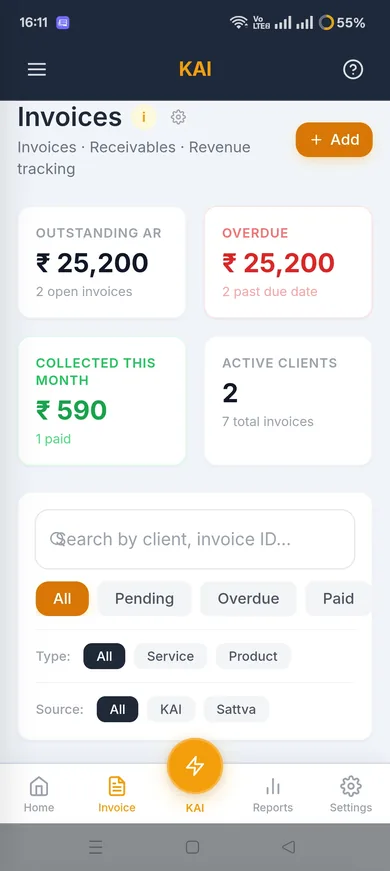
Set it up in two minutes
- In KAI, go to Settings.
- Choose Backup & Restore, then Restore from File.
- Select the file you downloaded below.
- Enter the passphrase shown below when prompted.
Restore passphrase: 0000
This is fictional starter data, not a real business — edit it into your own, or use it purely to learn KAI's structure before building yours fresh.
Where to go from here
If per-item GST accuracy is the problem you actually have, the KAI product page covers the full feature set. Related reading: keeping a large, HSN-coded catalogue clean, separating service revenue from product sales.
Found this useful?
Talk to us about your project