KAI — GST accounting built for the holistic world.
KAI is one of the best financial management applications in the market — packed with top-tier features, AI receipt scanning, MCA-compatible filing, and seamless integration with Sattva.
Android — live on Google Play · Windows & macOS Desktop — in development, available on request · White-Label Available
Want KAI on Windows or macOS? Request early access.
Use both apps? KAI syncs seamlessly with Sattva — every paid booking flows directly into your accounting with zero manual entry.
Learn about Sattva →Packed with features. Pristine in clarity.
Built to handle complex financial data without complexity — designed for practitioners, not accountants.
Receipt Scanning
Capture any receipt by camera or PDF upload — on-device OCR reads amount, date, vendor, GST breakup, and bill number automatically. Works offline.
MCA Compatible Filing
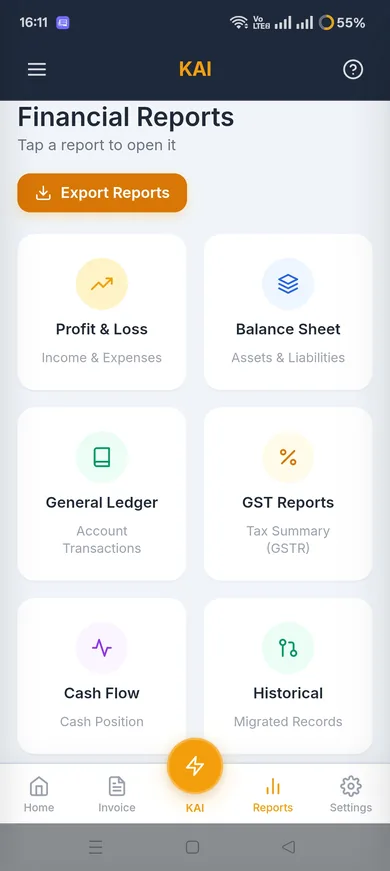
Generate MCA-compliant financial reports. Export exactly what your CA needs — in the right format, every time.
GST-Ready Reports
GSTR-1 and GSTR-3B summaries generated straight from your invoices, with CGST/SGST/IGST splits handled automatically.
Multi-Currency Support
Handle INR, USD, GBP, AED, and any other currency. Essential for international students, retreats, and global operations.
Financial Dashboards
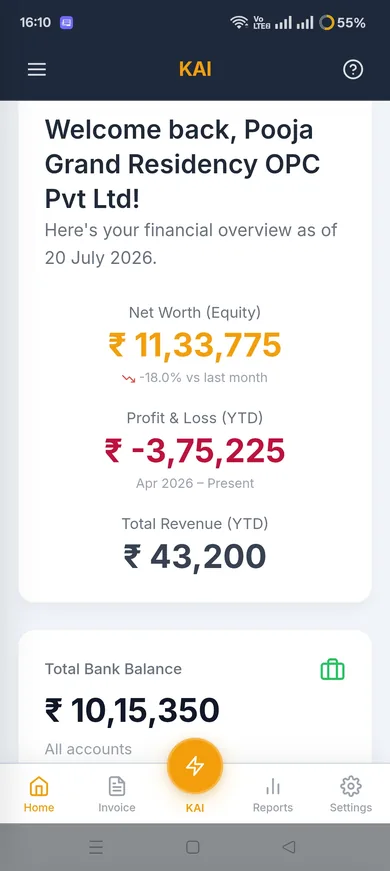
Monthly P&L, revenue trends, expense breakdowns, and cash flow — visualized beautifully for non-accountant practitioners.
Invoice & PDF Generation
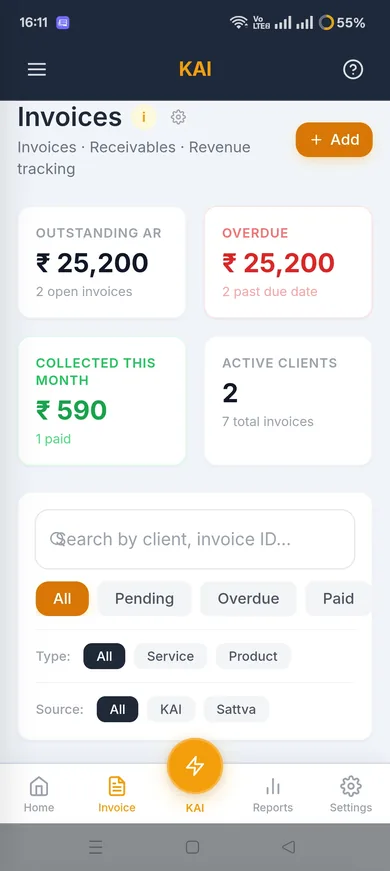
Professional, GST-ready invoices and financial statements generated in seconds with your practice branding.
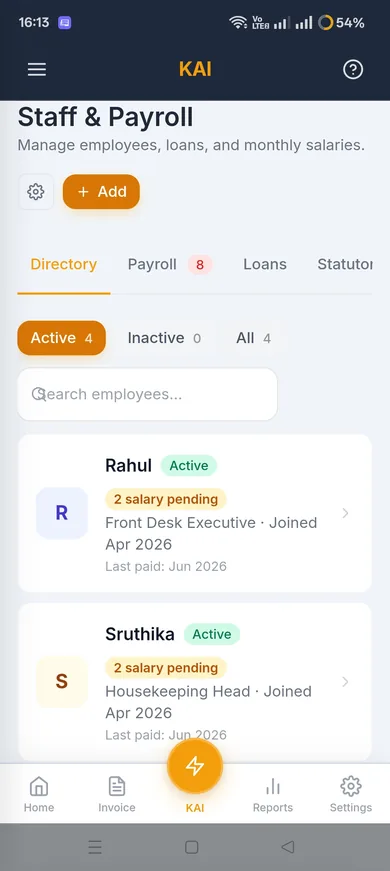
Payroll & Staff
PF, ESI, TDS and Professional Tax calculated automatically, with payslips, leave management, and full & final settlement.
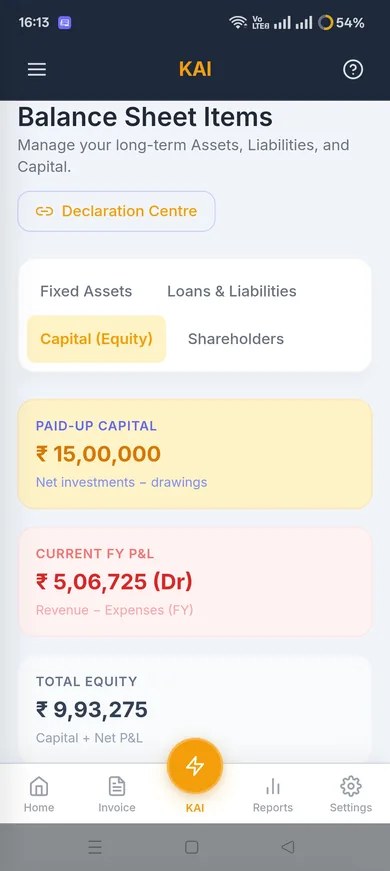
Fixed Assets & Loans
Track depreciation schedules and loan repayments, posted straight to your ledger — no manual journal entries.
KAI Insights (AI Analysis)
Ask questions about your finances in plain language and get a conversational analysis back. Your own AI key, and it reads one PII-free snapshot — your business name and records are never sent.
Switch From Your Old App
A guided wizard imports historical data from Tally, KhataBook, Vyapar, or MyBillBook — no re-entering months of records by hand.
Sattva Integration
Export all paid Sattva bookings to KAI as a JSON sync file. One tap, zero double entry, perfect reconciliation.
Encrypted Google Drive Backup
Optional, user-initiated encrypted backup to your own Google Drive — your books survive a lost phone.
Offline-First
All data lives on your device via IndexedDB. KAI runs fully offline — essential for practitioners on the move.
Android, with Desktop Coming
A full-featured Android app today; Windows and macOS desktop apps are in development and available on request.
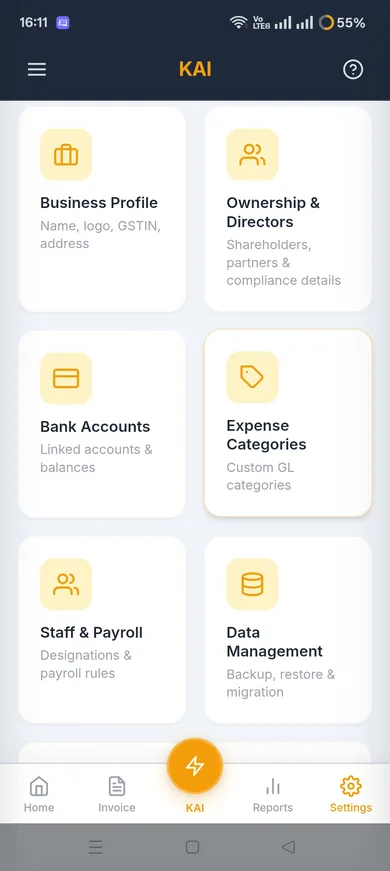
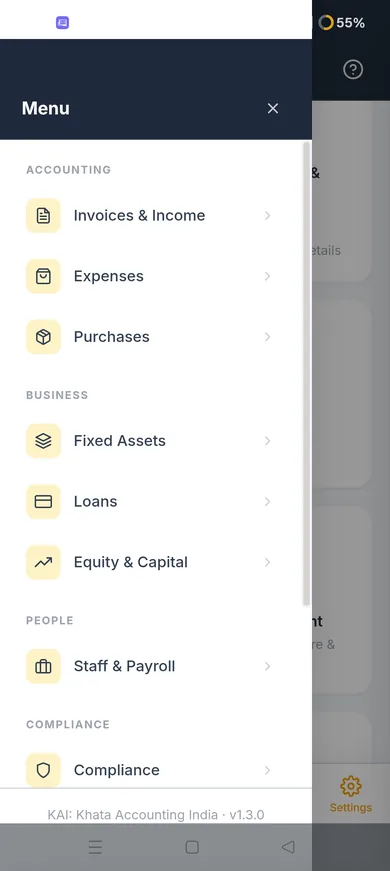
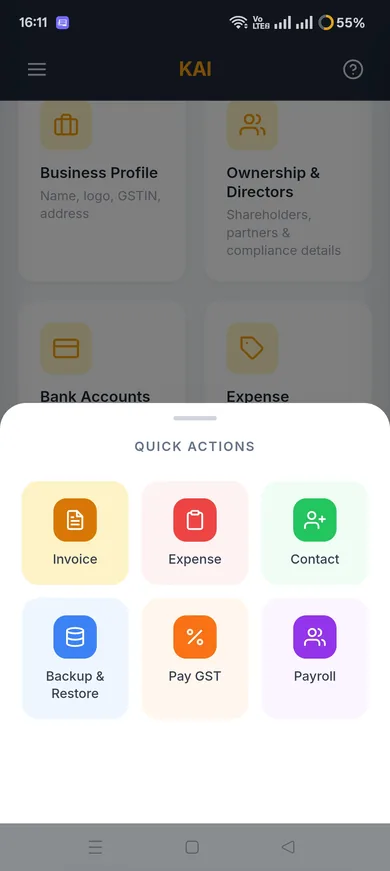
Financial clarity, visually.
Clean dashboards, receipt scanning, reports — built for practitioners who run a business, not accountants.
Receipt → Expense entry, fast.
From physical receipt to a filled expense form — automated field extraction, offline, in seconds.
Experience KAI with a file built for your industry.
Download a file built for your industry, restore it in KAI (Settings → Backup & Restore), and see dashboards, invoices, and reports fully populated. Edit it into your own business, or use it to learn KAI's structure before building yours fresh.
Restore passphrase: 0000
This is fictional starter data, not a real business — edit it into your own, or use it purely to learn KAI's structure before building yours fresh. In KAI, go to Settings → Backup & Restore → Restore from File, pick a downloaded file, and enter the passphrase above.
Questions about KAI.
Specific answers for practitioners evaluating KAI. Full FAQ at /faq.
Does KAI connect to my bank account?
No. KAI does not connect to any bank account or payment gateway. Financial entries come from two sources: manual entry, or the AI receipt OCR scanner. This is a deliberate choice — direct bank connections introduce security surface area and third-party dependencies that conflict with our offline-first, privacy-first architecture.
How accurate is the receipt OCR scanning?
KAI uses ML Kit — Google's on-device machine learning library — for OCR, which runs entirely offline. Amount, date, vendor, GST breakup, bill number, and notes are read and applied to the expense form automatically. Digital PDF receipts are parsed directly without OCR — near-100% accuracy. Photographed or scanned paper receipts depend on image quality: clear text, good lighting, minimal shadow. The expense category currently still needs a manual pick — automatic category selection is being fixed. Everything can be reviewed and corrected after scanning.
When I use KAI Insights, does the AI know whose business data it is?
No. KAI's AI is bring-your-own-key — you configure your own provider (Groq, Kimi K2, Gemini, OpenAI, or Claude), and Muladhara never sees your AI traffic. KAI Insights is read-only: it analyses one PII-free local snapshot of your numbers to answer your question, and never takes any action on your data or your business name — no creating, editing, or navigating on your behalf. There is deliberately no head-and-tail linking the data it processes to who it belongs to.
What format does my CA need, and can KAI produce it?
KAI generates MCA-compatible financial reports — the format Indian company secretaries and CAs need for annual filings. It also exports a detailed ledger, P&L statement, balance sheet, and expense category breakdown. If your CA uses a specific software, ask them which export format they accept — KAI supports CSV, PDF, and JSON. Contact us if you need a specific format that is not currently listed.
How does the Sattva sync work technically?
In Sattva, go to Export → KAI Sync. Sattva creates a JSON file containing all paid booking records for the selected period. In KAI, go to Import → Sattva and select the file. KAI reads the JSON and creates the corresponding income entries automatically. No server involved — it is a direct file transfer between apps on your device.
Does KAI work completely offline?
Yes. All data is stored locally on your device via IndexedDB. Every feature — entering transactions, generating invoices, viewing dashboards, scanning receipts — works without internet. The only online requirement is KAI Insights, and only if you connect a cloud AI provider; your financial records themselves are never sent to it, only a PII-free snapshot of your numbers.
What happens to my KAI data if I change devices?
Export an encrypted backup from KAI Settings before switching. The backup file contains all your financial records, account structure, and transaction history. Restore it on the new device using the same process as Sattva. Without a backup, data on the old device cannot be recovered — the encryption that protects your financial data from others also means we cannot access it.
From practitioners who use it.
Their words are coming. Our first practitioners are using KAI right now.
Their words are coming. Our first practitioners are using KAI right now.
Their words are coming. Our first practitioners are using KAI right now.
We launched recently. We believe testimonials should be earned, not invented. These placeholders will be replaced with real words from real practitioners — as honestly as everything else we build.
Switching from another app?
Ready to bring clarity to your finances?
Get KAI for your practice, or explore white-label options for your enterprise.